Intrusion Prevention System (IPS)
Configure Intrusion Prevention System (IPS) profiles on the TKMT Risk Management Module Next Generation Firewall to protect your network against known attacks and suspicious traffic, including protection against “stealth” and scan attacks.
Creating Profiles
Section titled “Creating Profiles”-
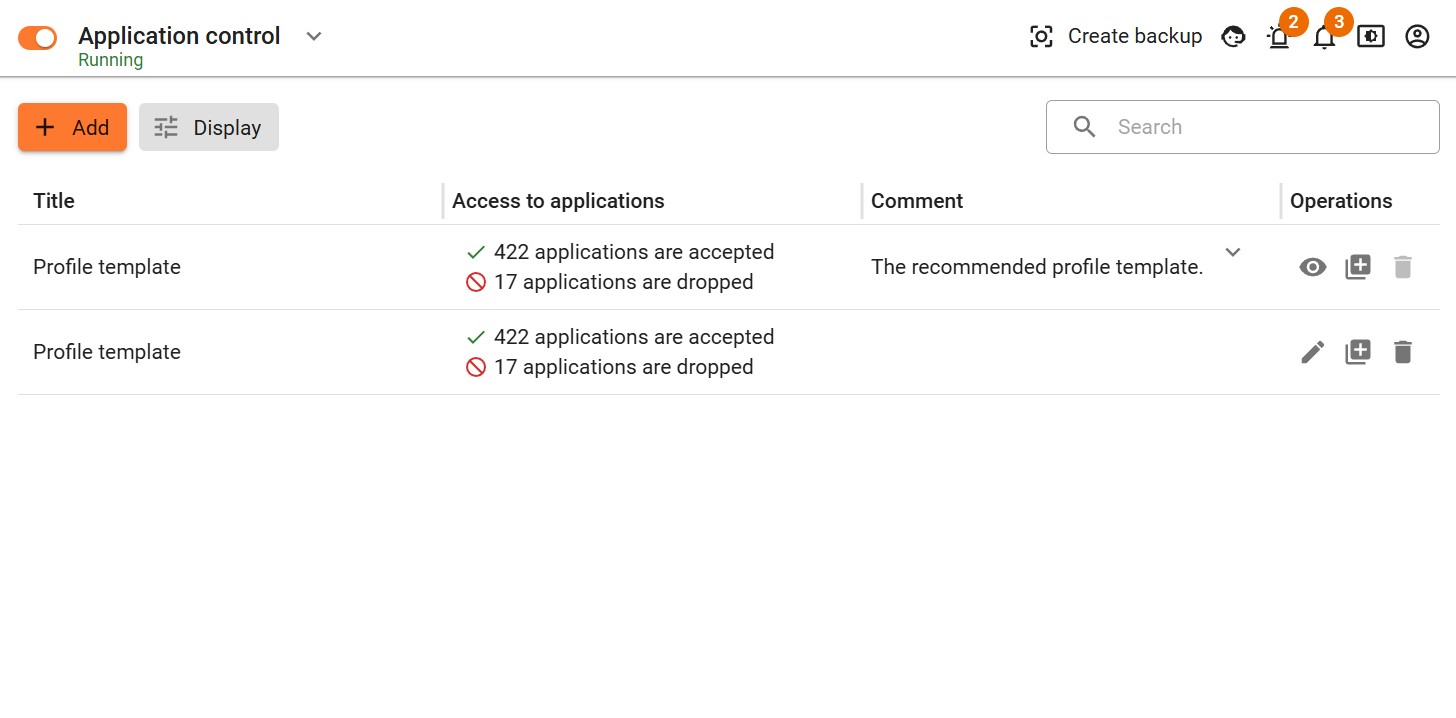
Go to Security Profiles → Intrusion Prevention System (IPS) and click Add.
-
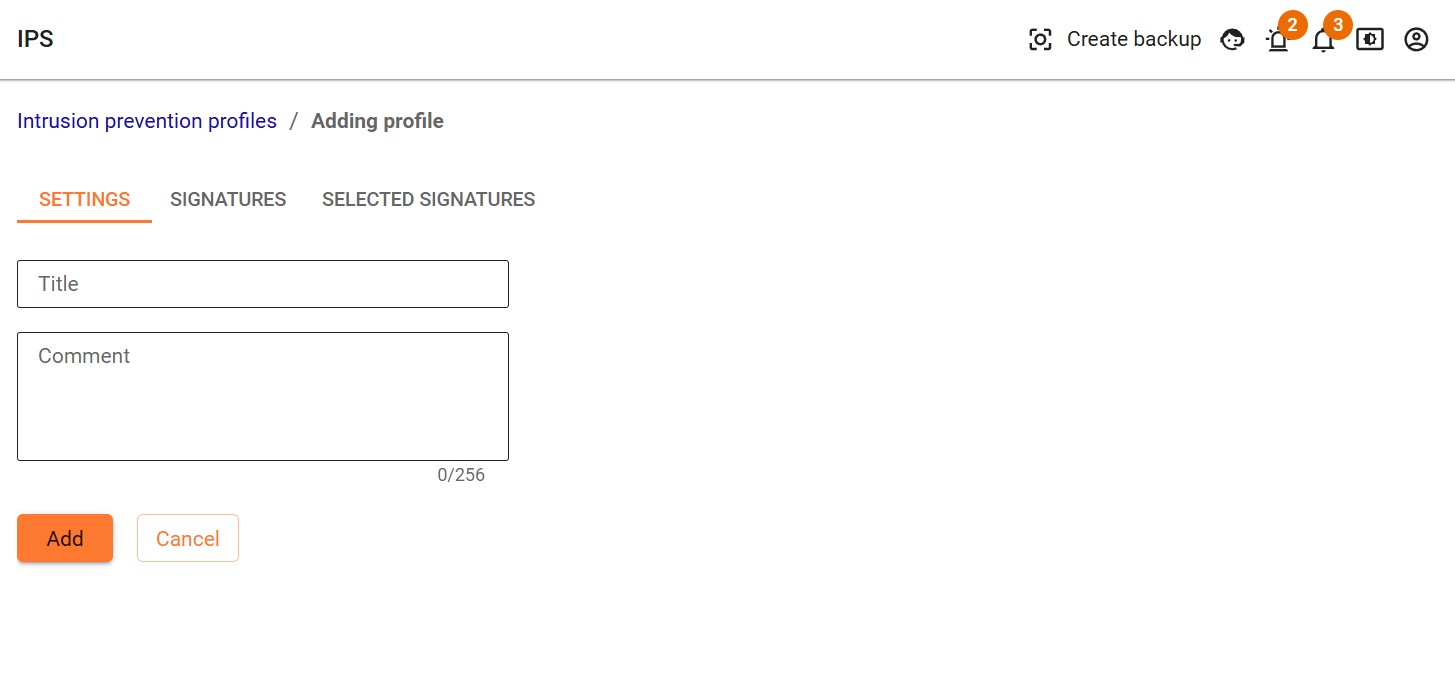
Enter a profile name, comment and click Add.
-
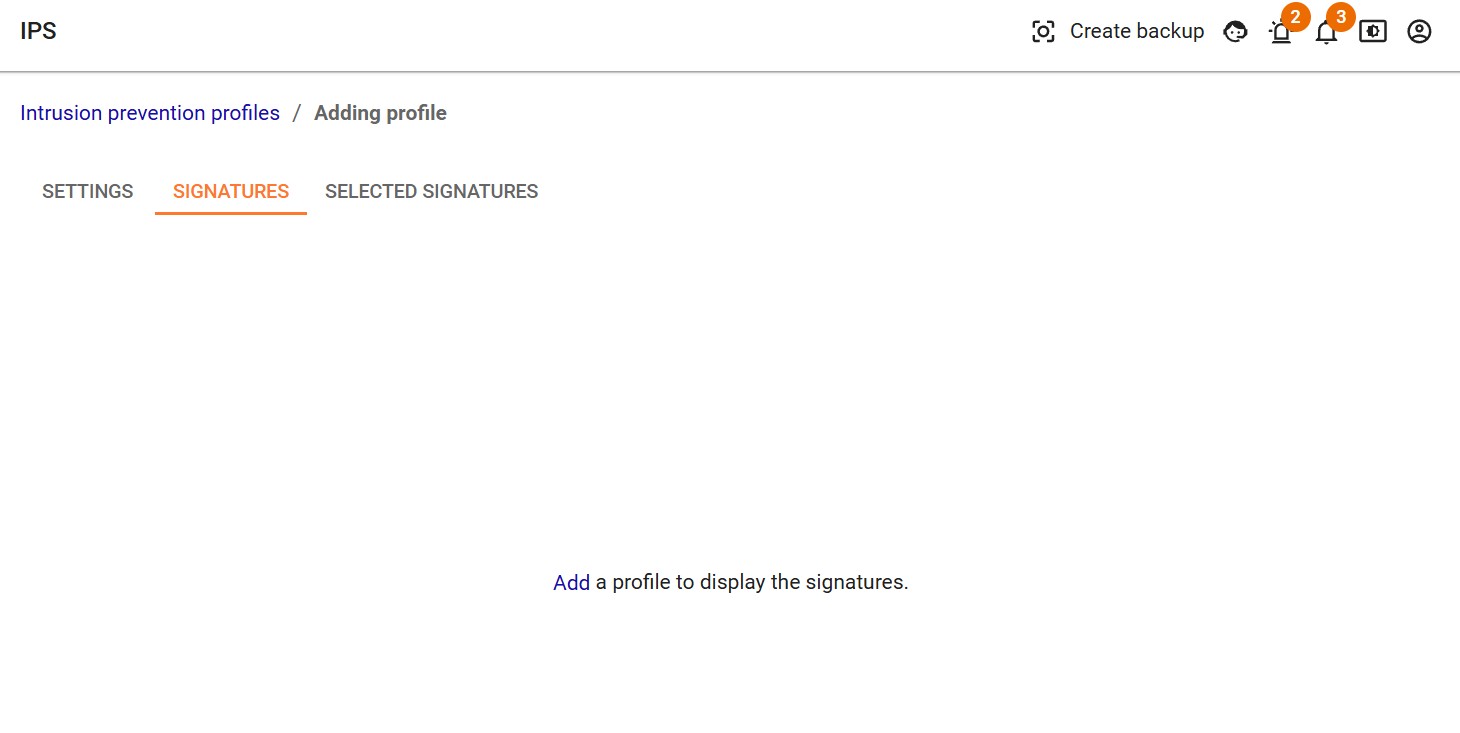
Go to the Signatures tab and click Add Signatures.
-
Select the method for adding signatures to the profile.
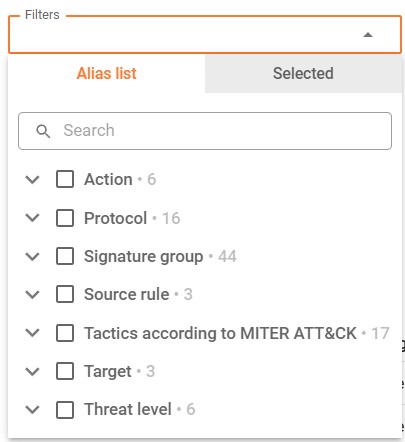
Select By Filters. The table below will display signatures matching each of the selected filters:
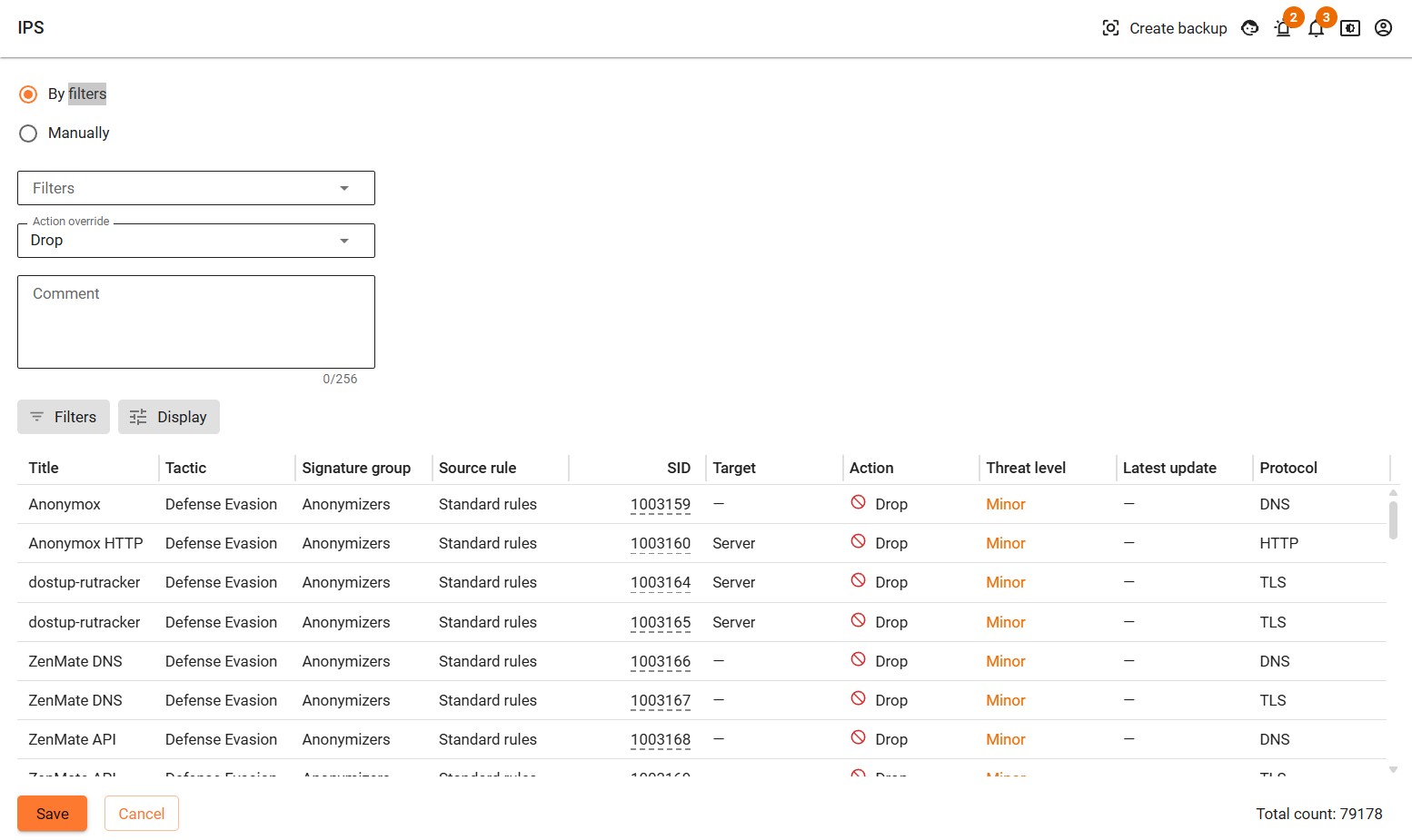
Available Filter:
- Action - filter by action that TKMT Risk Management Module Next Generation Firewall will apply to traffic matching the signature.
- Protocol - filter based on the network protocol that the signature analyzes.
- Signature group - a filter for ready-made signature sets grouped by threat type.
- Source Rule - filter by signature source.
- Tactics MITRE ATT&CK - filter by tactics according to the MITRE ATT&CK matrix.
- Target - a filter based on the attack target that the signature detects.
- Threat level - filter by the degree of danger of signatures in accordance with the CVSS (Common Vulnerability Scoring System) standard.
Override the action for the selected signatures by selecting the required one in the corresponding field, or leave the action as Default:
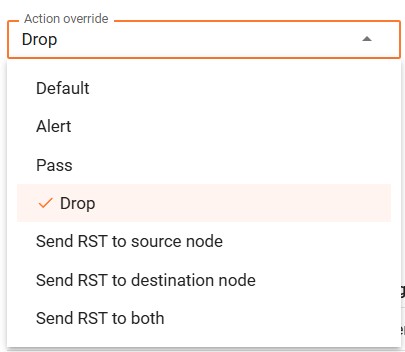
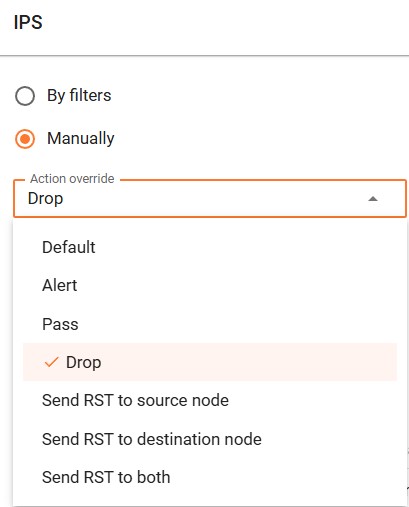
Available Action Override:
- Default - a predefined action specified in the rule base during an update.
- Alert - skip the packet and generate a warning.
- Pass - skip the packet without warning.
- Drop - discard the packet and generate a warning.
- Send RST to source node - send an error RST/ICMP unreached to the sender of the packet.
- Send RST to destination node - send the packet with the error RST/ICMP error to the recipient of the source packet.
- Send RST to both - send packets with the error RST/ICMP error to both the sender and the receiver of the original packet.
Click Add. The signature selection rule will appear in the profile table.
Alternatively, select By Manually. The table below will display signatures matching each of the selected filters:
Threat Prevention (IPS)
Section titled “Threat Prevention (IPS)”Threat Prevention capabilities are designed to identify and prevent malicious network activity.
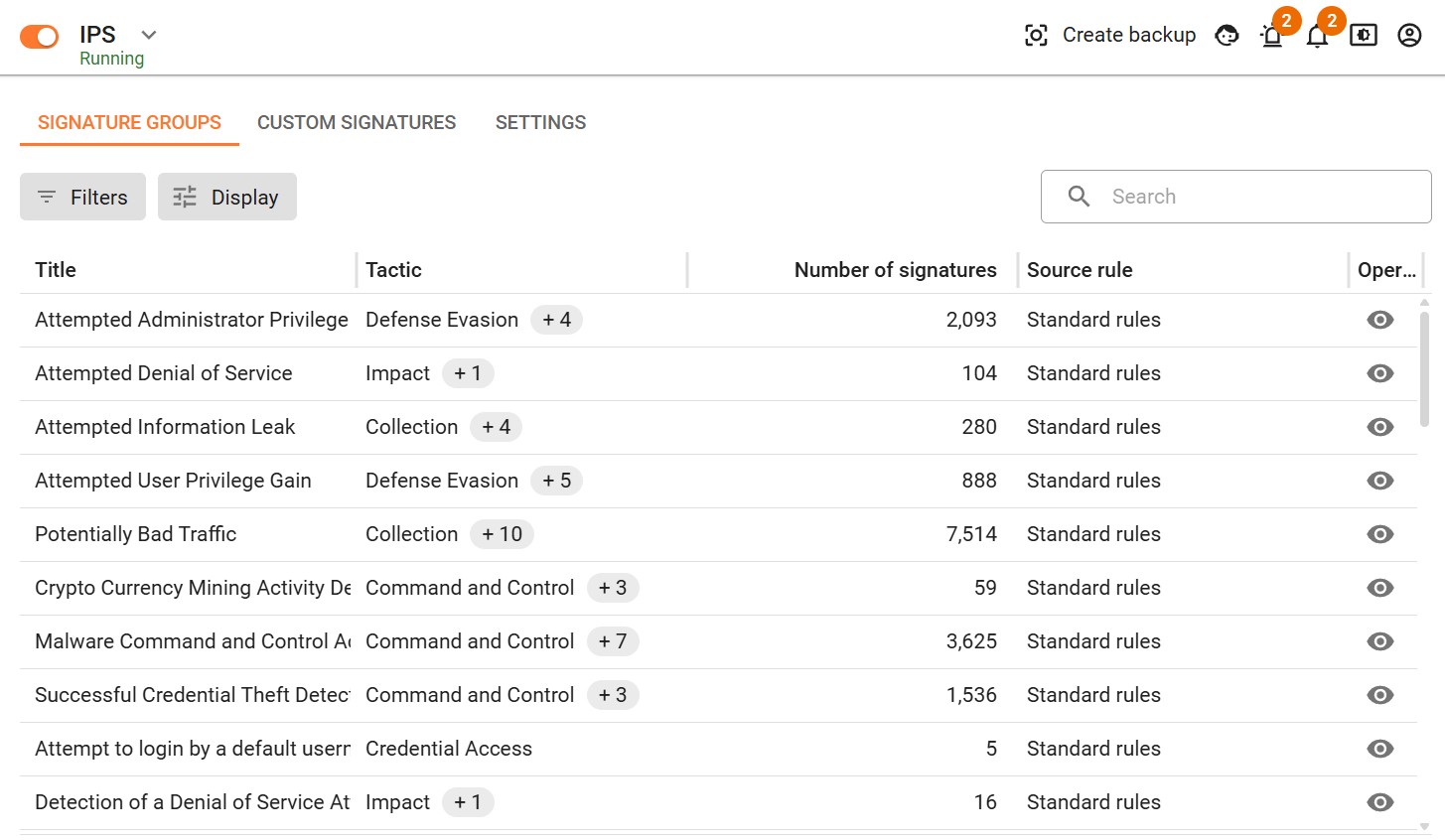
- Signature Groups - predefined signature groups, categorized by tactics according to the MITRE ATT&CK matrix or in a tabular format.
- Custom Signatures - allows you to add signatures for processing by the Intrusion Prevention system.
- Settings - information about IPS database updates and networks protected from intrusion.